
Seeing
Lonsen Electronics LimitedTools
4.42.51K Reviews
- Version
- 2.0.8
- Installs
- 500.00K
- Age Rating
- Everyone
Screenshots
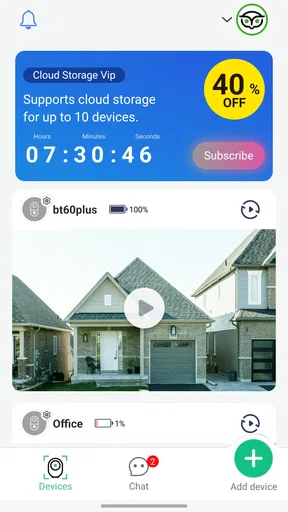
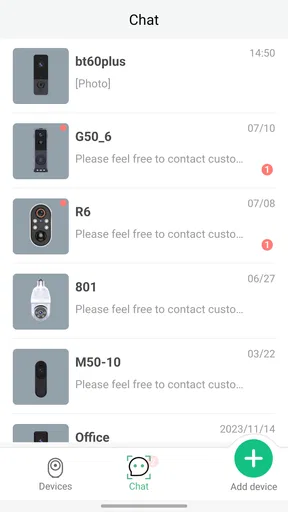
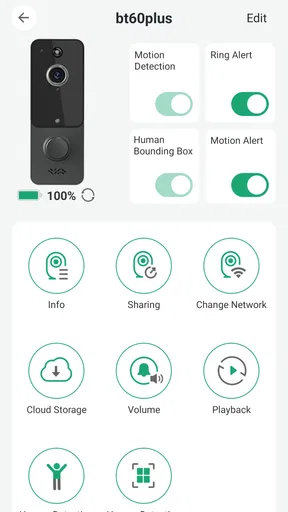
Our Review of Seeing
 Analysis by Appyee
I see Seeing as a tool whose usefulness depends on a very practical question: do you want your phone to describe what its camera is pointed at? That can make everyday moments easier, especially when reading or checking an unfamiliar object, but it is not a substitute for careful human judgment. I’d treat its answers as helpful clues rather than guaranteed facts, and I’d be most interested in it if camera-based assistance is something I would use regularly.
It sits in the tools category and is made by Lonsen Electronics Limited. The app is free to install, though in-app purchases range from $19.99 to $99.99 per item, so I would check what an optional purchase covers before committing. Its age rating is Everyone, and it has a 3.7 average from around 16,000 ratings. Those figures suggest a sizeable audience and a mixed reception, not a reason on their own to expect either a perfect experience or a poor one.
A camera tool is only as useful as its answer
The central idea is simple: use the smartphone camera to inspect something nearby and get a description. The published experience describes object recognition, text reading, and identification of people. Those are meaningfully different tasks. Recognizing a mug is a quick convenience; reading a paper can help with access to information; identifying a person is sensitive and calls for more caution.
For object recognition, I would use the result to narrow down what I am looking at, not to make a consequential decision. If I pointed a phone at two similar containers, for instance, a spoken label might help me orient myself, but I would still verify the contents by another reliable method before using anything that could affect my health or safety. That distinction is easy to overlook when an app sounds confident: a description can be useful without being definitive.
Text reading has a different kind of value. It may help when a label, menu, or printed page is awkward to inspect visually, but camera position and lighting matter in ordinary use. I would hold the phone steady, keep the text within the camera’s view, and move closer or change the angle if the reading is unclear. With a long document, I would work in manageable sections rather than expect one quick camera pass to handle every page comfortably.
Where it can fit into a normal day
Picture arriving at a café and finding a printed menu that is hard to read from your seat. A camera-based reader can be a practical first step: bring the phone closer, frame one part of the menu, and listen to the result. If the lighting is poor or the print is decorative, I would try a better-lit spot or ask someone to confirm an item before ordering. The useful workflow is not simply “point and trust”; it is “capture, listen, and check anything important.”
At home, the same approach could help distinguish unfamiliar household items or read a note without leaning over it. A particularly useful habit is to give the camera a clear, uncluttered view. When several objects overlap, the app has more room to misinterpret the scene, so moving one item aside can be more effective than repeatedly tapping or scanning the same crowded view. That small adjustment is a practical way to improve the input rather than blaming the result immediately.
For travel, object descriptions may offer orientation when exploring a place, while text reading can assist with signs or printed information. I would not make it my only navigation aid, though. A camera description is not the same as turn-by-turn directions, and a label should not replace checking a route, asking for help, or confirming a platform or address. The app makes more sense as one tool in a broader routine than as a single solution for every situation.
Discover the World with Seeing
So, what exactly does Seeing do? Well, it turns your smartphone into a pair of super-enhanced eyes. The app uses your phone's camera to identify objects, text, and even people around you. It’s like having a personal assistant that’s always ready to give you the 411 on your surroundings.
Features that Make a Difference
One of the coolest features is the object recognition. Point your phone at anything, and it will tell you what it is. I tested it around my house, and it was surprisingly accurate. From identifying my coffee mug to my cat lounging on the couch, it got most things right.
Then there's the text recognition feature, which is a game-changer for anyone who deals with lots of documents. Just point your camera at the text, and it reads it out loud to you. This came in super handy when I was skimming through some papers on my desk. No more squinting at fine print!
But the standout feature has to be the facial recognition. It's designed to help you identify people, which could be a lifesaver in crowded places. I tried it at a family gathering, and it was pretty fun testing who it could recognize.
User Experience: Simple and Intuitive
Now, I know what you’re thinking: "This sounds complicated!" But trust me, the app is as user-friendly as they come. The interface is clean and straightforward. You don’t need a tech degree to navigate through it. Each feature is just a tap away, making it super easy to switch between different modes.
Installation was a breeze too. Just a quick download from the app store, a few taps to set it up, and I was good to go. Plus, it doesn’t take up much space on your phone, which is always a win in my book.
Choosing it over familiar alternatives
Compared with asking another person, using a camera tool can be quicker and more private for routine tasks such as checking a label at home. But a person can ask follow-up questions and notice context that a camera may miss. For important details, I would rather combine the app’s reading with a second check than assume a single automated description settles the matter.
Compared with a general phone camera, the difference is the aim: an ordinary camera records an image, while this app is intended to interpret what the camera sees. If all I need is a photo to zoom in on later, the regular camera may be simpler. If I want spoken or descriptive help, a purpose-built tool is a better fit. People who already rely on accessibility features built into their phone should also compare how those tools handle the exact task they need before adding another app to their routine.
One useful trade-off is speed versus certainty. A quick object label can save time, but a confusing view may lead to a vague or mistaken answer. I would first improve the scene—steady the phone, isolate the target, and make sure the relevant text or object is visible—before trying again. For a person’s identity, I would be even more conservative: recognition should not be treated as proof, and it is not appropriate to use a guess to make a sensitive judgment about someone.
Who is likely to get the most from it
I can see the strongest fit for someone who wants occasional camera-based help with nearby objects or printed text, and for a user who benefits from having visual information read or described. It may also appeal to curious people who enjoy trying practical phone tools. The app has reached over 500,000 installs, but popularity does not determine whether its particular approach suits your habits; the important question is whether you will reach for it often enough to justify learning its workflow.
I would be less enthusiastic if I needed dependable identification for safety-critical tasks, precise navigation, or consistently polished reading of complex documents. In those cases, a dedicated accessibility setup, a trusted person, or a purpose-built service may be a better primary choice. Someone who rarely needs camera descriptions may also find that the usual phone camera or built-in tools already cover their needs without another app.
Before relying on it away from home, I would try a few low-stakes examples: a familiar household object, a short printed label, and a paragraph under ordinary indoor lighting. That gives a realistic sense of how well the camera workflow suits your phone and your surroundings. It is also sensible to check the app’s current version, 2.0.5, and confirm that your device runs Android 6.0 or later before installing.
Why You Should Try Seeing
If you’re someone who loves exploring new tech or simply wants a handy tool to assist with everyday tasks, it is worth checking out. It’s like having a Swiss Army knife of vision tools right in your pocket. Whether you’re visually impaired or just curious, this app offers something for everyone.
Here's the thing: technology is supposed to make our lives easier, and it can do that when its output fits the task. It’s not just about the bells and whistles; it’s about practicality and how it can help in real situations. From reading menus in dimly lit restaurants to identifying landmarks while traveling, the possibilities feel broad, but I would keep expectations specific: it is a camera-based aid, not a guarantee that every scene will be understood correctly.
Final Thoughts
All in all, this is an interesting app that aims to make visual information more accessible through a phone camera. I like the range of everyday situations it can address, especially reading short text and getting a quick description of an object. Its limitations matter just as much: camera input can be imperfect, facial identification deserves care, and the in-app purchase range makes it worth checking the cost of any extra before buying.
My recommendation is straightforward: try it if camera-based descriptions would solve a recurring problem for you, and test it first on ordinary, low-risk tasks. Skip it as your main answer if you need certainty, specialist guidance, or a tool for decisions where a mistake could cause harm. The best way to use it is as a convenient assistant whose answers you can verify—not as a replacement for judgment.
And remember, the next time someone asks you what you see, you can smile and say, "Everything, thanks to Seeing."
Verdict
Strengths of Seeing
- User-friendly interface for easy navigation.
- High-quality visuals enhance user experience.
- Offers a wide range of customization options.
- Seamless integration with social media platforms.
- Regular updates with new features and improvements.
Limitations of Seeing
- Requires a stable internet connection.
- Limited functionality in offline mode.
- Some features are locked behind paywalls.
- Notifications can be overwhelming at times.
- Occasional glitches on older devices.
Similar Picks in This Category
View All
Google LLC4.0

Gboard - the Google Keyboard
Google LLC4.5

Google Play services
Google LLC4.3

Google Play Store
Google LLC4.9

Files by Google
Google LLC4.5

SHAREit: Transfer, Share Files
Smart Media4U Technology Pte.Ltd.4.3
Frequently Asked Questions
What is the primary function of the Seeing app?
The Seeing app is designed to assist visually impaired users by using advanced AI technology to describe the world around them. It captures images and provides detailed descriptions, helping users navigate through their environment more easily. This app is particularly useful for identifying objects, reading text, and recognizing familiar faces.
Is the Seeing app available for both Android and iOS devices?
Yes, the Seeing app is available for both Android and iOS platforms. This ensures a wide range of users can access its features regardless of their device preference, providing inclusive support for those who are visually impaired across different mobile operating systems.
Does the Seeing app require an internet connection to function?
While some features of the Seeing app may work offline, many advanced functionalities, such as real-time object recognition and detailed scene descriptions, require an internet connection. This is because the app relies on cloud-based AI processing to deliver accurate and fast results.
Is the Seeing app user-friendly for someone with limited tech skills?
The Seeing app is designed with simplicity in mind, making it accessible for users with limited technological skills. It offers a straightforward interface with voice-guided instructions, ensuring that even users who are not tech-savvy can easily navigate and utilize the app's features with minimal assistance.
Are there any privacy concerns with using the Seeing app?
The Seeing app prioritizes user privacy and security. Images and data processed by the app are handled with strict confidentiality, and users have control over their data. It’s important to review the app’s privacy policy to understand how information is managed and ensure it aligns with your comfort level.
